Introduction
Jetwriter AI has a helpful feature called Custom Writing Styles. It helps you change your writing for different situations. You do not talk to your boss the same way you talk to your friends. This feature changes how the AI writes to match what you need right then. This guide shows you how to set up and use these styles.
What are Writing Styles
You need different writing tones for different tasks. Here are some examples:
Formal - For Managers: Great for writing to your boss.
Instruction: "Write in a formal and respectful tone. Use clear business language. Do not use slang or emojis."
Friendly Team Update: Perfect for messages to your team.
Instruction: "Write in a warm and friendly tone. You can use emojis and exclamation points. Keep it positive."
Concise and Direct: Use this when you are in a rush.
Instruction: "Be short and to the point."
How to Create Your Styles
Let's make your first style! Just follow these easy steps:
Launch Jetwriter AI extension: Launch the Jetwriter AI extension. Click on "Writing Styles", and then "Add Style".
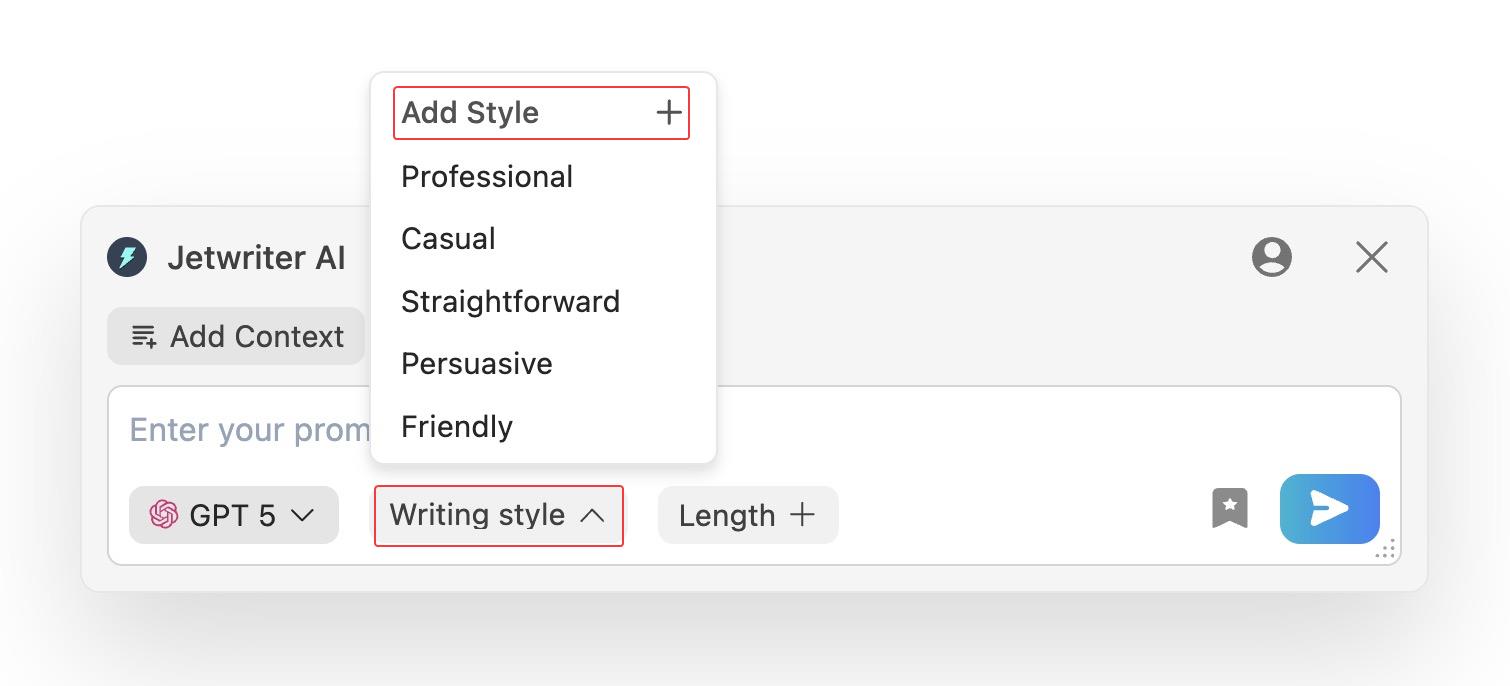
Make a New Style: Give it a name, like "Concise and Direct". Then, type your instruction.
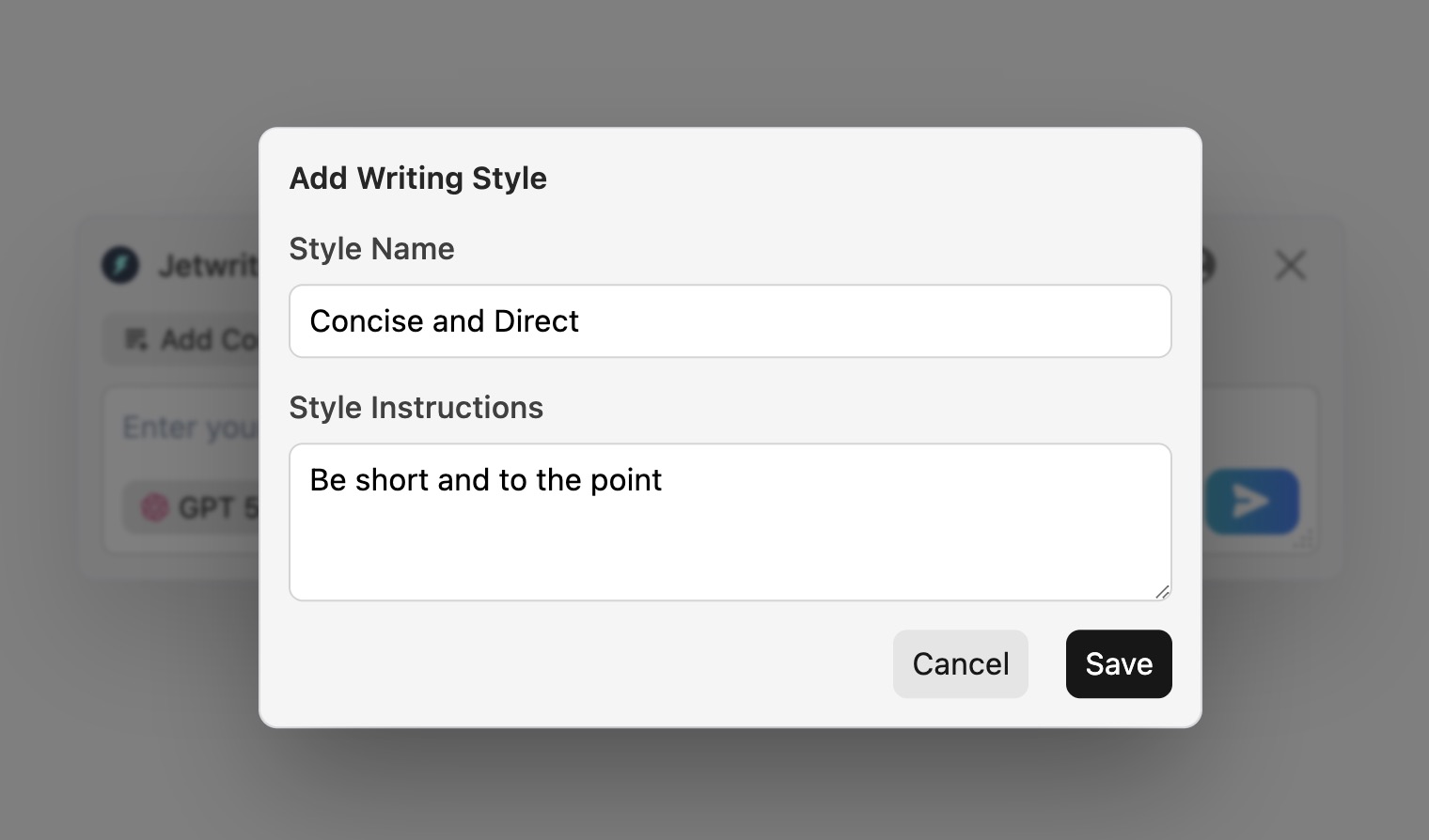
Save and Use: Save your style. Next time you write, just pick it from your list. The AI will write exactly how you want it to.
Conclusion
Using Custom Writing Styles makes you ready for any situation. You can write a serious email, and then send a fun chat right after. It saves you a lot of time. You do not have to type out your rules over and over again. Just click your saved style and you are done!
Was this article helpful?
That’s Great!
Thank you for your feedback
Sorry! We couldn't be helpful
Thank you for your feedback
Feedback sent
We appreciate your effort and will try to fix the article