Introduction
Jetwriter AI includes "Personalize AI" and "Custom Writing Styles" features to teach the AI your unique writing voice. These tools transform the AI from a generic helper into a writing partner that understands you and your work. This guide explains how to set up and use these features to ensure your communications always sound authentic.
Teaching the AI About You with "Personalize AI"
This feature allows you to provide the AI with essential context about who you are, similar to briefing a new human assistant.
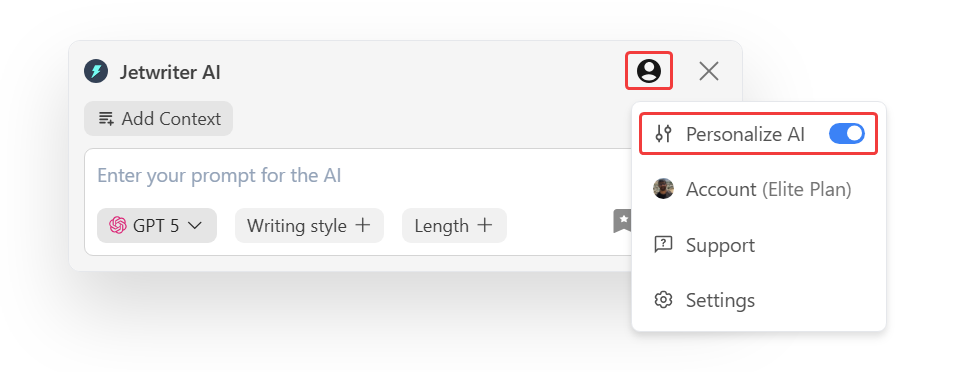
- Access the Personalize AI Feature: Navigate to the "Personalize AI" section within your Jetwriter AI settings.
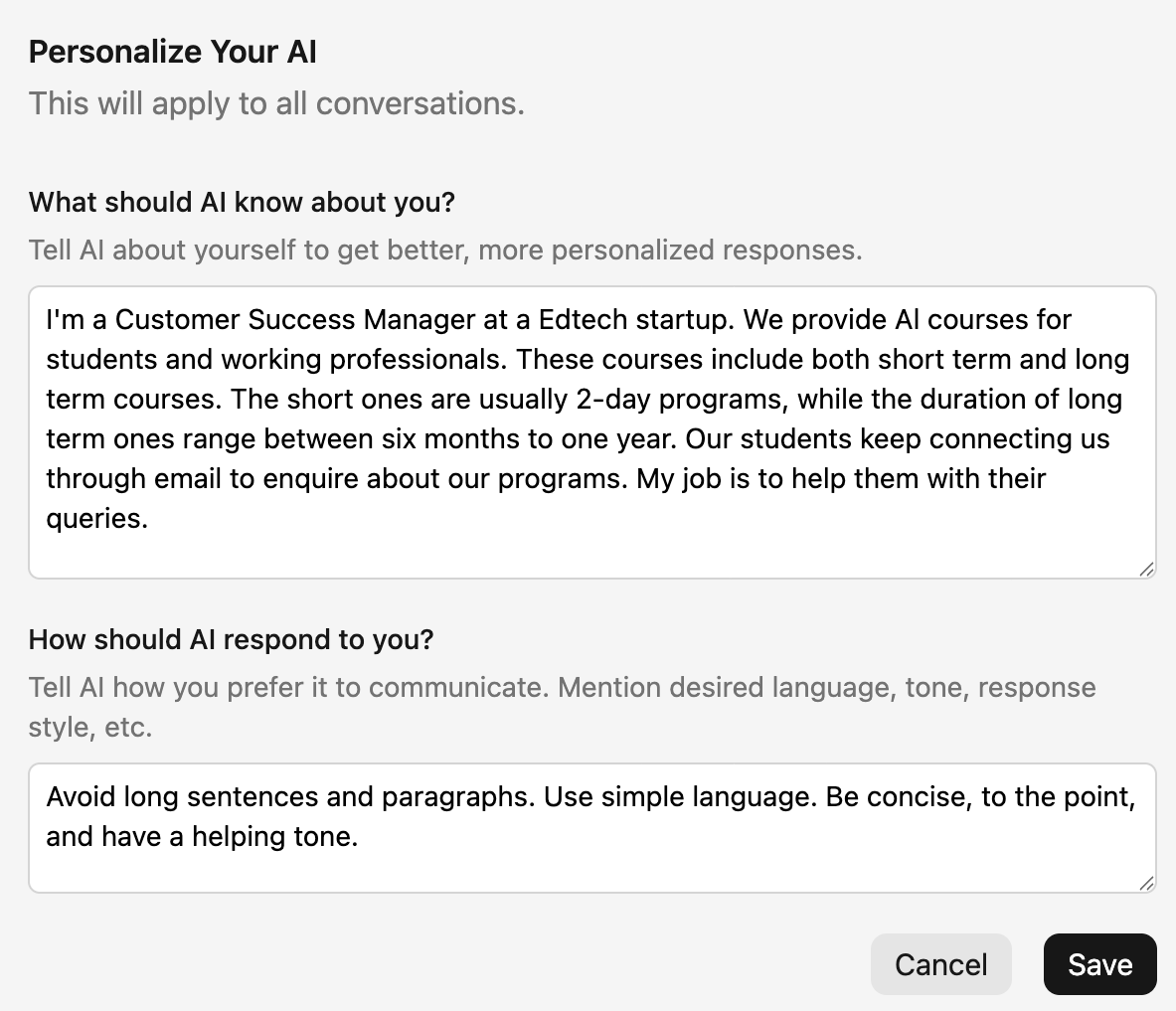
- Input Your Professional Details: In the provided fields, enter what you do (e.g., "I am a customer success manager"), and information about your company and your role ("I work for an EdTech startup").
- Describe Your Communication Style: Explain your preferred writing style, including details on tone, sentence length, and language simplicity (e.g., "I avoid long sentences. I use simple language and a helping tone.").
Creating and Using Custom Writing Styles This feature lets you create and save different writing tones for various situations, like having different outfits for your writing.
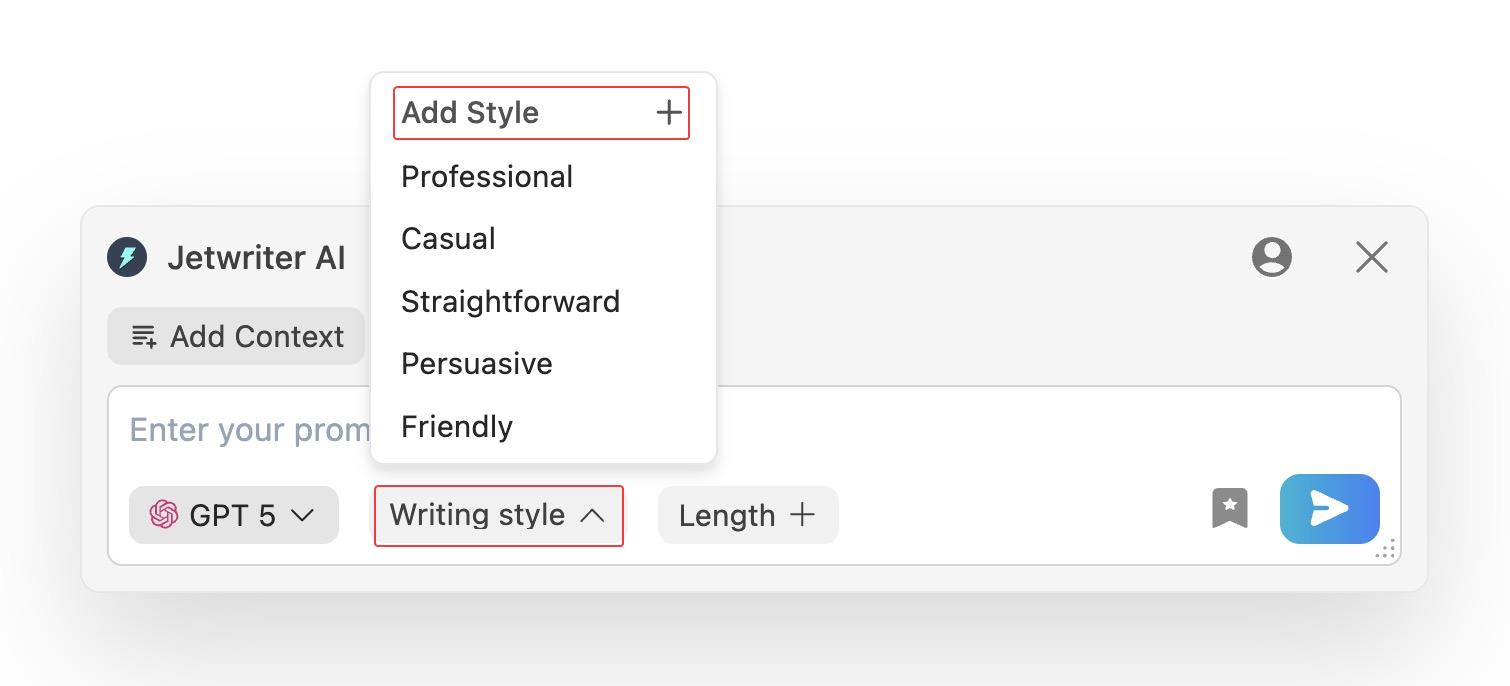
- Navigate to Writing Styles: Within "Writing Styles" there is an option to create styles.
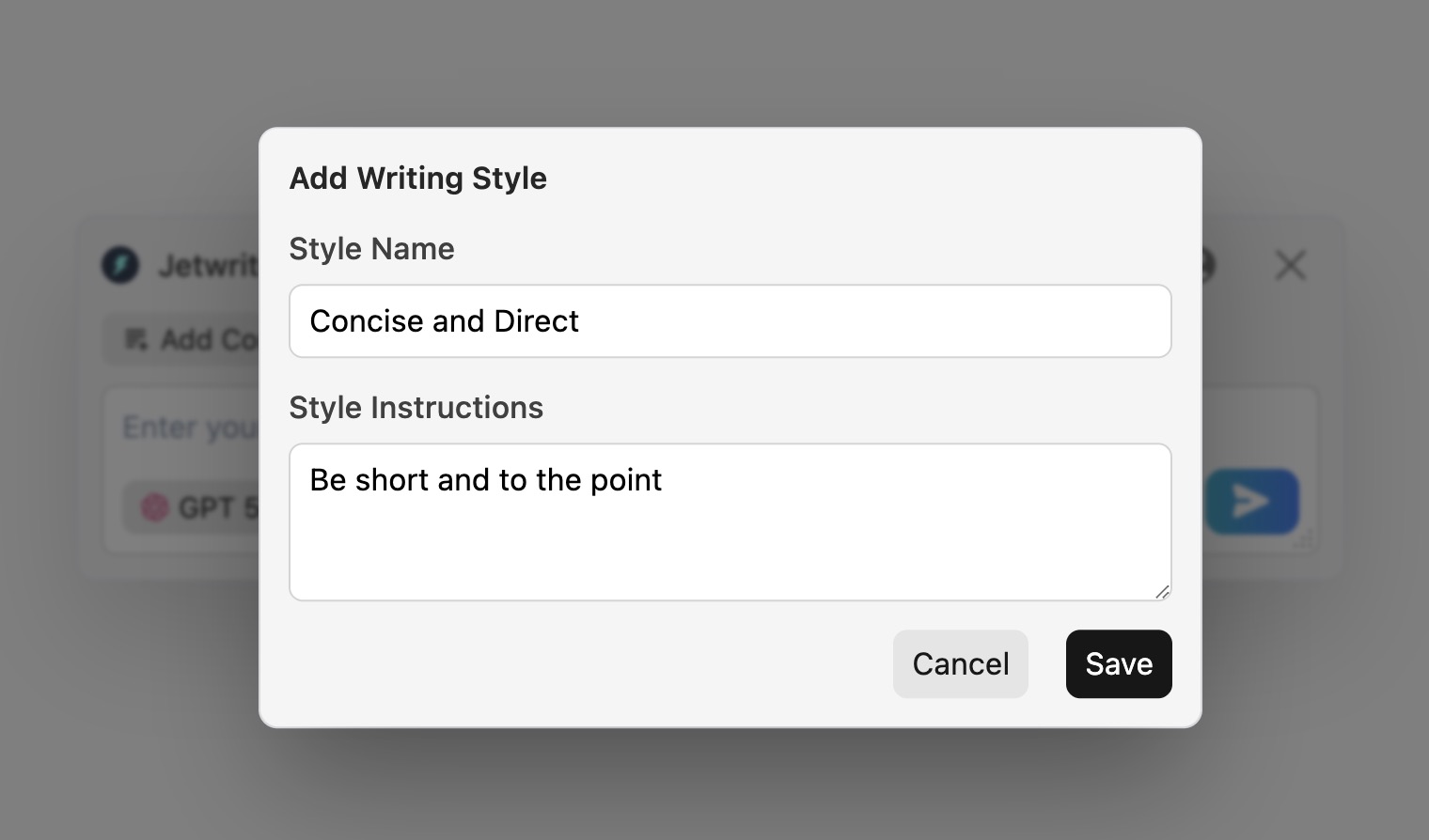
- Define and Save a New Style: Create a new style by giving it a name (e.g., "Concise and Direct") and providing a clear instruction (e.g., "Be short and to the point").
- Apply a Style with One Click: When writing, select any of your saved styles to instantly apply the desired tone without re-typing instructions.
Conclusion
By using the "Personalize AI" and "Custom Writing Styles" features, you can ensure your AI assistant sounds authentic. This saves time, improves writing quality, and maintains a consistent personal or brand voice across all your communications. It transforms the tool into a true writing partner that understands your unique style.
Was this article helpful?
That’s Great!
Thank you for your feedback
Sorry! We couldn't be helpful
Thank you for your feedback
Feedback sent
We appreciate your effort and will try to fix the article