Introduction
Jetwriter AI for Freshdesk is a smart assistant designed to help you write clear, personalized ticket replies in seconds. It integrates directly into the Freshdesk interface to streamline your workflow and improve response quality. This guide explains how to set up the tool, and generate replies using Jetwriter AI.
Setting Up Jetwriter AI in Freshdesk
The setup process is simple and can be completed in under a minute.
- Install the Jetwriter AI Extension: Start by installing the Jetwriter AI extension. If you haven't installed the extension yet, refer to the previous guide on how to do it here.
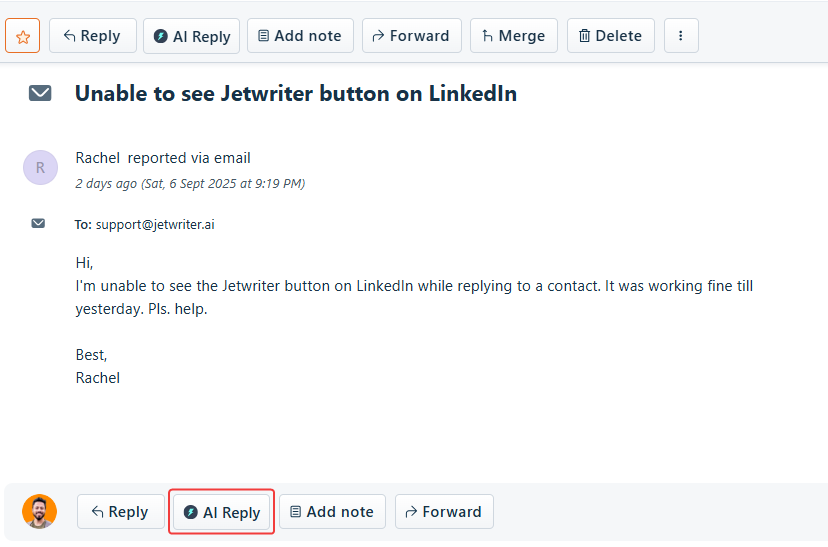
- Locate the Icon in Freshdesk: Navigate to your Freshdesk account. When you open a ticket, you will see a "AI Reply" icon in the toolbar. This is the Jetwriter AI button.
Generating an AI-Powered Reply
Jetwriter AI automatically reads the full ticket context to create relevant replies, so no copy-pasting is required.
- Open the Jetwriter AI Tool: In a Freshdesk ticket, click the Jetwriter AI icon in the toolbar to launch the extension.
- Provide Your Reply Instruction: In the textbox, briefly type what you want to reply. You can use a simple instruction like "tell the user we have received their request" or "ask for the screenshot."
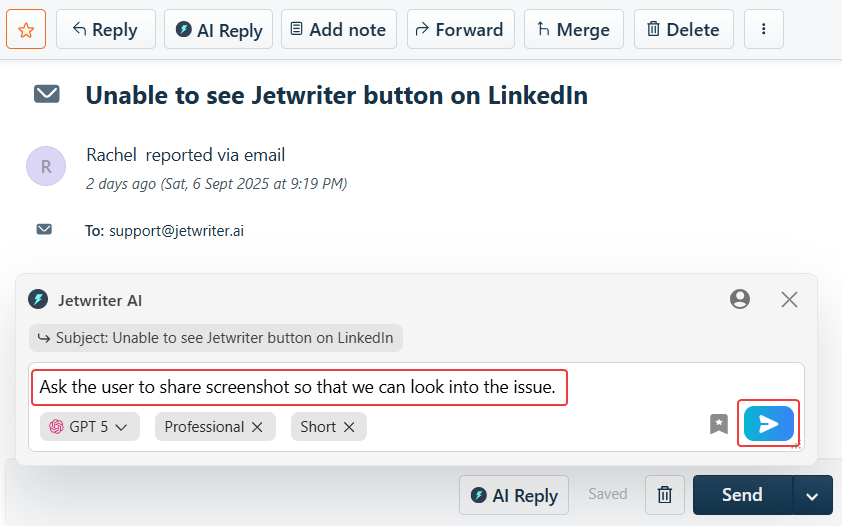
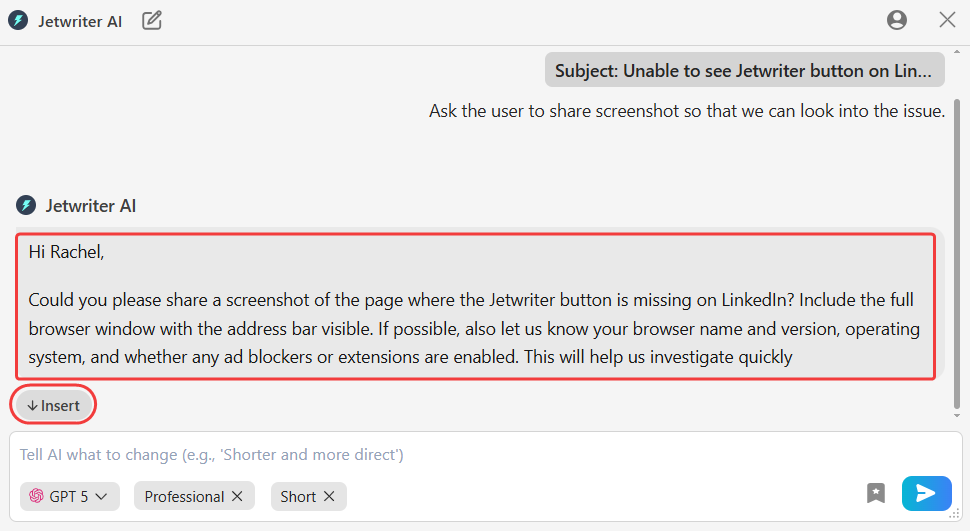
- Generate and Insert the Response: Click the "Generate Reply" button (the blue icon) to create a high-quality draft. To use it, click "Insert" button to add it directly into your Freshdesk reply box.
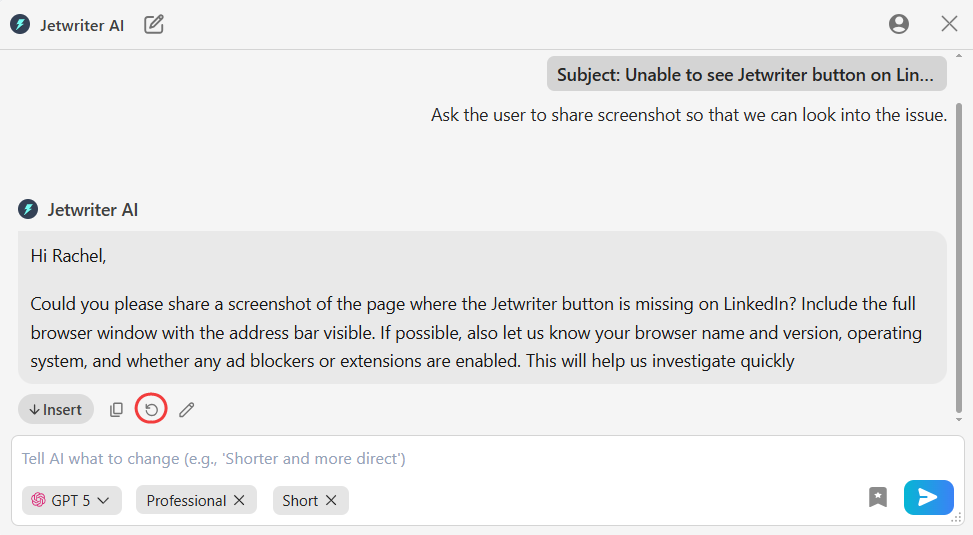
- Regenerate for a New Version: Click the "Regenerate" button to get a completely new draft based on your original instruction.
- Edit the Generated Response: You can also "Edit" the response, by writing a fresh prompt along with the generated response.
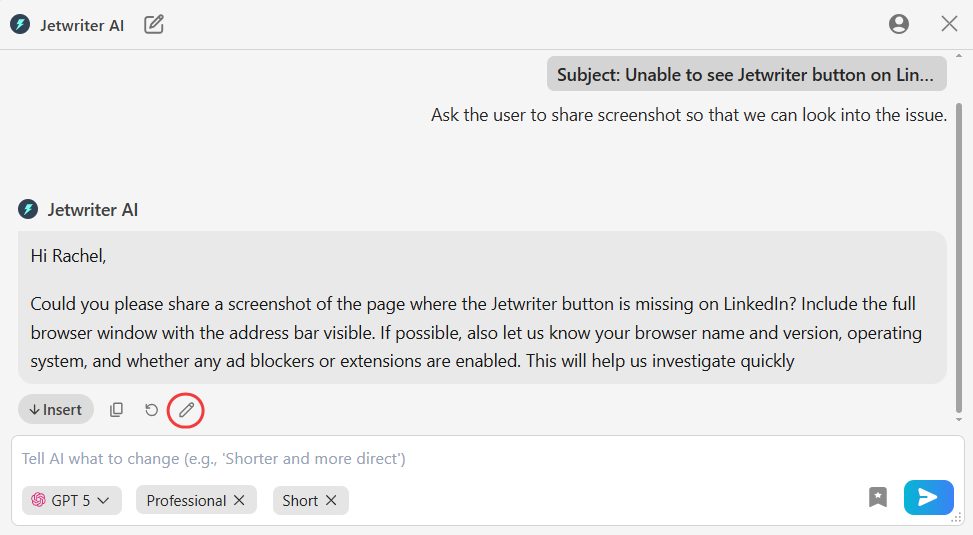
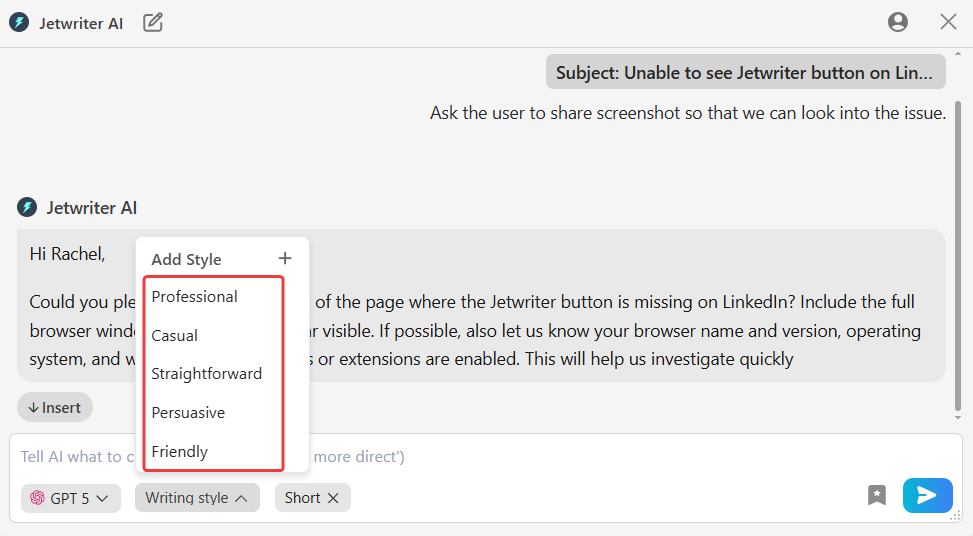
- Adjust the Writing Tone: Use the "Writing Style" dropdown menu to select a different style, such as
Professional,Friendly, orStraightforward, to better match the situation.
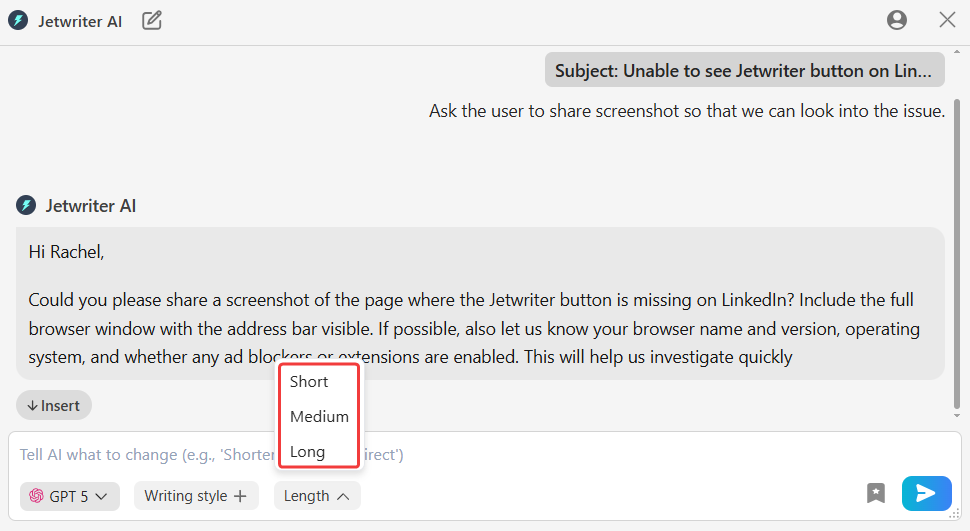
- Control the Response Length: Use the "Length" dropdown to make the reply more concise for quick updates or longer for detailed explanations.
Conclusion
Jetwriter AI streamlines your Freshdesk workflow by handling the repetitive aspects of writing replies. It saves your team valuable time, improves the consistency and quality of customer communication, and allows your agents to focus on what matters most: solving customer problems and providing excellent service.
Was this article helpful?
That’s Great!
Thank you for your feedback
Sorry! We couldn't be helpful
Thank you for your feedback
Feedback sent
We appreciate your effort and will try to fix the article