Whether you're considering a change in your Jetwriter AI subscription or deciding to cancel it, understanding the process is crucial for a smooth transition. This comprehensive guide will walk you through the steps to cancel your subscription, while also providing you with resources to manage every aspect of your experience with the platform.
Step 1: Visit the Jetwriter AI Website
Begin by heading over to the Jetwriter AI website. This site is your hub for accessing and managing your account, as well as exploring additional features and services.
Step 2: Log in to Your Account
To manage your subscription, you first need to log in to your Jetwriter AI account. If you're unsure about the login process, click here to learn how to log in to your Jetwriter AI account. Access to your account will allow you to view and adjust your subscription details.
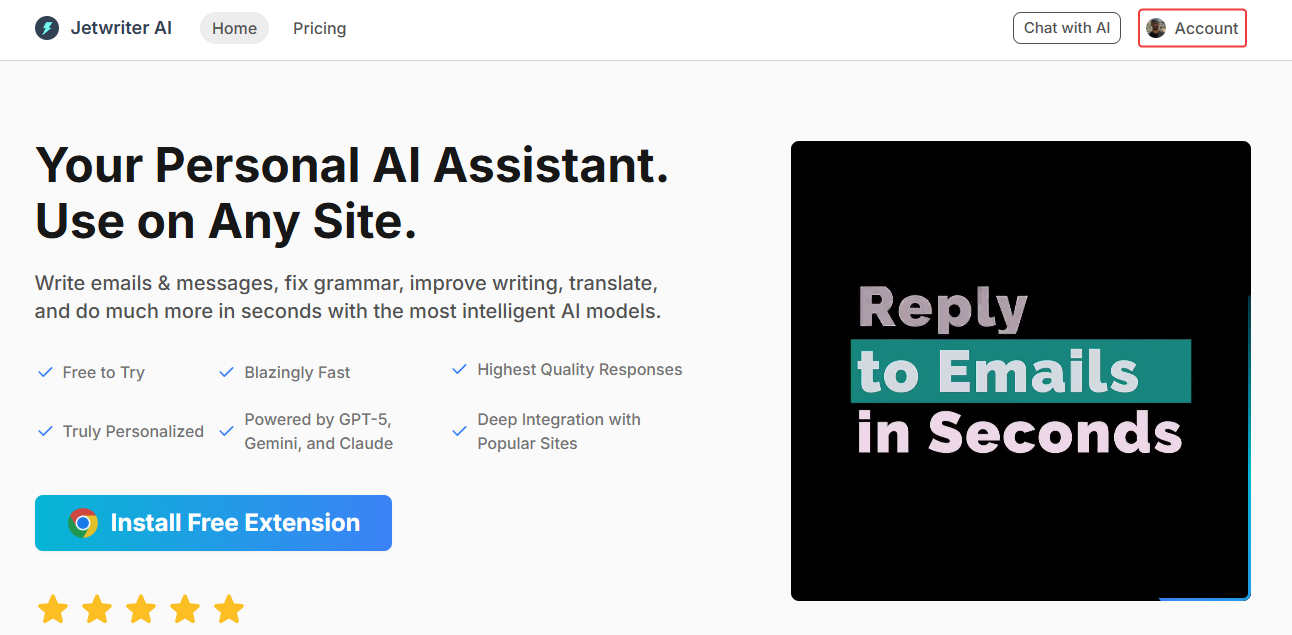
Step 3: Navigate to 'Account'
After logging in, locate the 'Account' section.
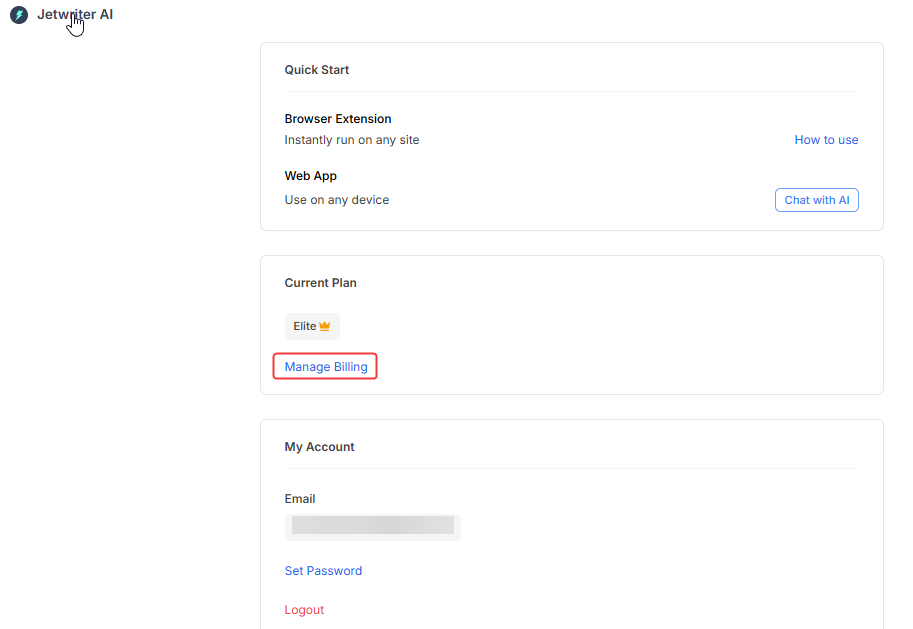
After the account page opens locate the "Manage Billing" and click on to open stripe page.
Step 4: Proceed with Cancellation in Stripe Gateway
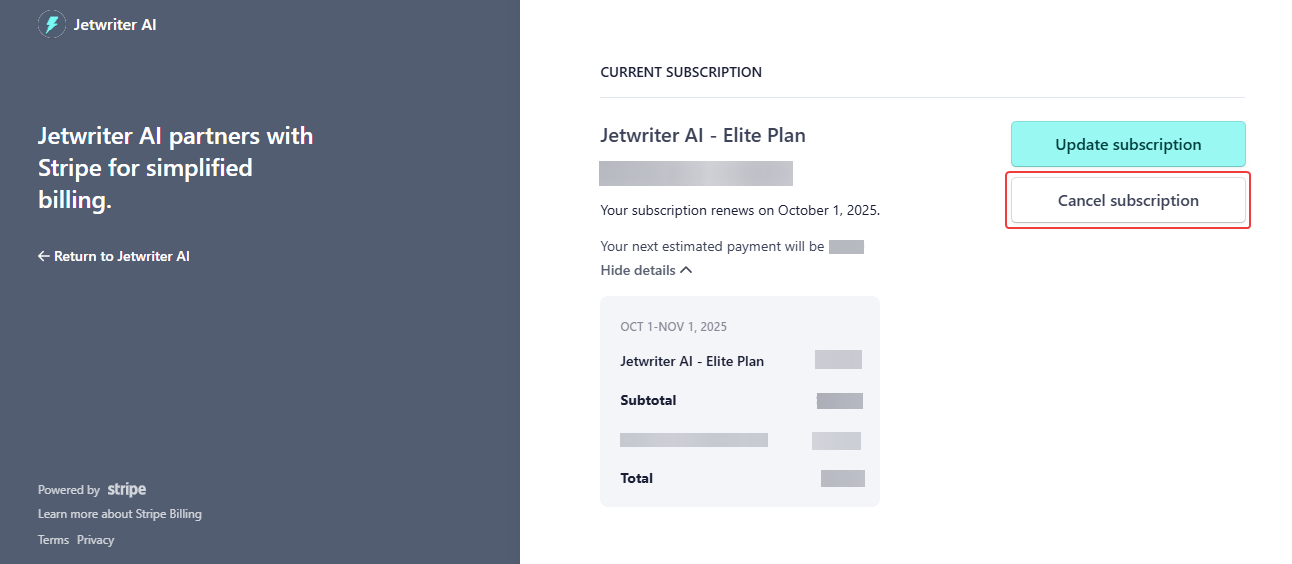
On the Stripe account page, you'll find the option to “Update plan” and “Cancel plan”. The cancellation is processed securely through Stripe Gateway, ensuring your payment information is handled safely. To cancel your subscription click on the ‘Cancel plan’ button.
Step 5: Review and Confirm Your Cancellation
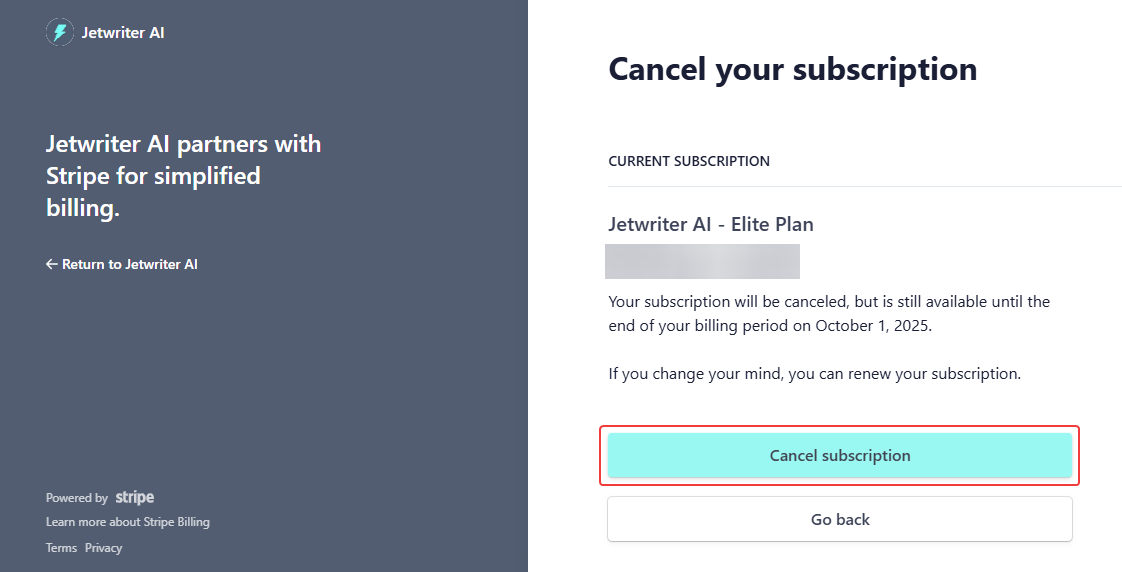
Take a moment to review all the details concerning your plan cancellation. It's important to be certain about your decision, as it may affect your access to Jetwriter AI's features. Once you're ready, confirm the cancellation of your subscription.
Step 6: Provide Feedback
After the cancellation, you may be prompted to give feedback. Your thoughts and experiences are highly valued, as they help Jetwriter AI to continually improve and tailor its services to meet user needs. Your input is crucial in shaping the platform's future direction.
Enhance Your Jetwriter AI Experience
To ensure you're getting the most out of Jetwriter AI, here's a collection of resources for various functionalities and features of the platform:
- How to Install the Jetwriter AI Extension: Detailed steps to integrate the extension into your browser for an enhanced writing experience.
- How to Sign Up for Jetwriter AI: Guidance on creating your account to start utilizing the powerful AI features.
- How to Log In to Jetwriter AI: Quick and easy instructions for accessing your account.
- How to Launch Jetwriter AI: Discover the simplest way to activate the extension and begin your writing tasks.
- How to Use Jetwriter AI: Tips and strategies to fully leverage the AI capabilities for your writing needs.
- How to Upgrade Your Subscription: Information on how to access more advanced features and tools by upgrading your plan.
- How to Downgrade Your Subscription: Instructions for adjusting your plan to better suit your current requirements.
Conclusion
Navigating your subscription with Jetwriter AI should be a straightforward and transparent process. This guide is designed to assist you in managing, adjusting, or canceling your subscription with ease, providing you with the knowledge and resources to make informed decisions. Your feedback and participation are instrumental in helping Jetwriter AI evolve into a platform that continually meets and exceeds user expectations.
Was this article helpful?
That’s Great!
Thank you for your feedback
Sorry! We couldn't be helpful
Thank you for your feedback
Feedback sent
We appreciate your effort and will try to fix the article